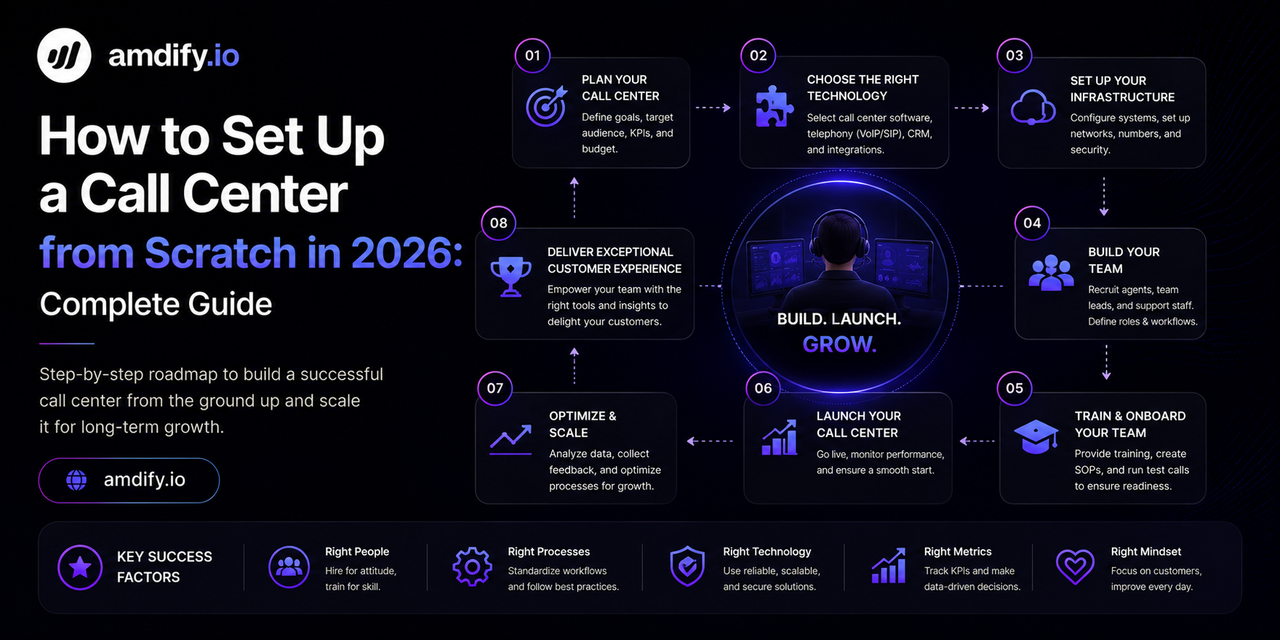
How to Set Up a Call Center from Scratch in 2026: Complete Guide
Setting up a call center from scratch can feel overwhelming. There are dozens of decisions to make — software, hardware, internet, phone numbers, compliance, hiring — and getting any one of them wrong costs time and money.
This guide walks through every step in order, from the first decision to your first live campaign. Whether you are setting up a small 5-agent outbound team in Pakistan, a BPO operation in the Philippines, or a sales floor in India, the foundational steps are the same.
Step 1: Define Your Call Center Type
Before buying anything, define exactly what your call center will do. The answer determines almost every technology decision.
Outbound Call Center
Agents call out to customers or prospects. Used for:
- Sales and lead generation
- Appointment setting
- Collections and debt recovery
- Surveys and market research
- Customer follow-up
Inbound Call Center
Customers call in to your business. Used for:
- Customer support
- Order taking
- Technical helpdesk
- Billing inquiries
Blended Call Center
Handles both inbound and outbound calls. Agents switch between campaigns based on volume.
Most new operations start with outbound only — it is simpler to set up and easier to measure results.
Step 2: Choose Your Dialer Software
Your dialer is the core of your call center. It automates outbound calling, manages agents, records calls, and generates reports.
Option 1: VICIdial (Best for Budget-Conscious Operations)
VICIdial is the world's most widely deployed open-source contact center platform. It is free to download and runs on standard Linux hardware. You pay only for your server and phone carrier.
Best for: Pakistan, India, Philippines, Egypt operations where cost control is critical.
See the full VICIdial setup guide for beginners for step-by-step installation.
Option 2: Hosted Dialer (Best for Speed)
Hosted dialers like Five9, RingCentral, or NICE inContact are cloud-based — no server to manage. You pay a monthly per-seat fee.
Best for: Operations that need to launch fast and have budget for monthly subscriptions.
Option 3: Custom Asterisk Build
For technical teams, building a custom solution on raw Asterisk gives maximum flexibility. Requires significant Linux and telephony expertise.
| Option | Cost | Setup Time | Technical Skill Needed |
|---|---|---|---|
| VICIdial | Free + server cost | 1–3 days | Medium |
| Hosted dialer | $80–200/agent/month | Hours | Low |
| Custom Asterisk | Free + dev time | Weeks | High |
Step 3: Set Up Your Internet Connection
VoIP calls are sensitive to network quality. A poor internet connection produces choppy audio, dropped calls, and frustrated agents.
Minimum Requirements
- Bandwidth: 100 Kbps per concurrent call (upload and download)
- Latency: Under 150ms to your SIP carrier
- Packet loss: Under 1%
- Jitter: Under 30ms
Practical Example
For a 20-agent call center where all agents are on calls simultaneously:
- 20 calls × 100 Kbps = 2 Mbps minimum
- Recommended: 10 Mbps dedicated line with QoS configured
QoS (Quality of Service)
Configure your router to prioritize VoIP traffic over regular internet traffic. Without QoS, a large file download or video stream can degrade call quality across your entire floor.
Step 4: Choose a SIP Trunk Provider
Your SIP trunk is the connection between your dialer and the phone network. Every outbound call travels through your SIP trunk.
What to Look for in a SIP Provider
- Coverage: Does the carrier support the countries you are calling?
- Pricing: Cost per minute for your target destinations
- Concurrent channels: How many simultaneous calls does your plan support?
- Call quality: Audio clarity and low latency routing
- Reliability: Uptime guarantees and failover options
Recommended SIP Providers by Market
| Market | Recommended Providers |
|---|---|
| USA outbound | Twilio, Vonage, Bandwidth |
| Pakistan / India | Twilio, local PSTN carriers with SIP |
| Philippines | Twilio, PLDT, Globe Telecom SIP |
| Egypt | Twilio, local carriers |
| International | Twilio (global), Vonage, Telnyx |
Always set up at least two SIP providers for redundancy. See the VICIdial SIP trunk failover guide for configuration.
Step 5: Set Up Your Hardware
Server (for VICIdial / Asterisk)
- Dedicated physical server or cloud VPS (DigitalOcean, AWS, Linode)
- Minimum: 4-core CPU, 8 GB RAM, 100 GB SSD
- Cloud VPS recommendation: 8 vCPU, 16 GB RAM for up to 30 agents
Agent Workstations
- Standard computer or laptop (agents work in a web browser)
- Noise-cancelling headset — this is critical for call quality
- Recommended headsets: Jabra, Plantronics, Sennheiser
Agent Phones (Optional)
With VICIdial, agents can use:
- Software phone (softphone): An app on their computer (Zoiper, X-Lite — free)
- Physical IP phone: Yealink, Cisco, Grandstream (more reliable, $40–150 each)
- WebRTC: Browser-based phone built into VICIdial agent interface
For new setups, softphones are the easiest to deploy. Physical phones provide better audio quality for high-volume operations.
Step 6: Configure AMD (Answering Machine Detection)
AMD is one of the most important settings in your outbound dialer. It determines whether connected calls are routed to agents or voicemail handling.
Default AMD settings in VICIdial drop 15–25% of live calls before they reach an agent — a costly problem that most new call centers do not realize exists.
Recommended AMD settings for 2026:
initial_silence=3000

greeting=1200

after_greeting_silence=900

min_word_length=80

maximum_number_of_words=4

silence_threshold=200
For operations that need the highest possible AMD accuracy without manual tuning, amdify.io integrates with VICIdial as an AI-powered AMD replacement — reducing false positives to 1–3%.
See what is AMD in a dialer for a complete explanation.
Step 7: Build Your Call List
Your call list is the database of numbers your dialer will work through. List quality directly determines campaign performance.
Where to Get Call Lists
- Lead generation forms: The highest quality — contacts who raised their hand
- Purchased lists: Vary widely in quality; always verify compliance with local laws
- CRM exports: Existing customers or prospects in your database
- Website inquiries: People who contacted your business
List Quality Checklist
- Remove numbers on the Do Not Call registry (required in USA and many other markets)
- Scrub disconnected numbers before dialing
- Verify phone number format matches your target country
- Segment by time zone to comply with calling hour restrictions
Step 8: Compliance Setup
Outbound calling is heavily regulated in most markets. Non-compliance creates legal and financial risk.
USA Compliance Requirements
- Honor the National Do Not Call Registry
- Call only between 8am–9pm in the recipient's local time zone
- Abandoned call rate must stay below 3% (FTC rule)
- Prior express written consent required for autodialed calls to mobile numbers
Pakistan / India / Philippines / Egypt
Each market has its own telecom regulatory requirements. Key principles that apply broadly:
- Obtain consent before calling where required
- Respect local calling hours
- Honor opt-out requests immediately
- Keep call records for audit purposes
Step 9: Hire and Train Your Agents
Agent Requirements
- Reliable internet connection (if working remotely)
- Noise-cancelling headset
- Basic computer literacy
- Clear speaking voice in the language of your campaign
Training Essentials
- Campaign script and objection handling
- How to use the VICIdial agent interface
- Call disposition codes (how to classify each call outcome)
- Compliance rules — what they can and cannot say
- How to handle do-not-call requests (must be immediate)
Agent Targets (Typical Starting Benchmarks)
| Metric | Benchmark |
|---|---|
| Dials per hour | 40–60 (power) / 80–100 (predictive) |
| Live conversations per hour | 5–15 depending on answer rate |
| Average handle time | 3–8 minutes |
| Conversion rate | Varies by campaign |
Step 10: Launch, Monitor, and Optimize
First Week
- Run campaigns at low volume to verify audio quality and AMD accuracy
- Monitor real-time reports for unexpected behavior
- Listen to call recordings to verify agent performance
- Check AMD classifications — are machines getting through to agents?
Key Metrics to Track from Day 1
- Answer rate: % of dials that connect to a human
- AMD false positive rate: % of live humans dropped by AMD
- Conversion rate: % of conversations that achieve the campaign goal
- Abandon rate: % of connected calls not delivered to an agent (must stay under 3% for USA)
See outbound call center KPIs: metrics every manager should track for the full metrics framework.
Ongoing Optimization
- Review AMD accuracy weekly — retune if false positive rate rises
- Clean your call list monthly — remove disconnected numbers
- Monitor caller ID reputation — check for flagging monthly
- Review agent performance individually and identify coaching opportunities
Total Cost Estimate for a 10-Agent Outbound Call Center
| Item | Monthly Cost (Estimate) |
|---|---|
| Cloud server (VICIdial) | $80–150 |
| SIP trunking (10 agents, 8hrs/day) | $200–600 |
| Headsets (one-time) | $400–1,000 |
| AMD solution (amdify.io) | Per usage |
| Internet connection | $50–200 |
| Total (excl. agents) | $330–950/month |
Agent salaries vary enormously by market — from $300–500/month in Pakistan/Philippines to $3,000–5,000/month in the USA.
With VICIdial and the right SIP carrier, a fully functional 10-agent outbound call center can be operational for under $1,000/month in infrastructure costs.